For two years, businesses have asked the same question about AI search: “Is ChatGPT even mentioning us, and does anyone click through?” Until now there was no official answer. You could only guess, or pay for tools that run test prompts.
That changed on November 10, 2026, when OpenAI launched Businesses in ChatGPT in beta. Its management portal, the ChatGPT Business Hub, lets you claim your business, control how ChatGPT describes it, and, for the first time from any AI platform, see how often ChatGPT mentions you and how many people click to your website.
In this guide I explain what the Business Hub is, who can claim a profile (including what it means for businesses in Nepal), the exact steps to claim and verify, and how to use the data to get mentioned more often.
Key takeaways
- ChatGPT Business Hub is a free portal for claiming and managing your business profile in ChatGPT. You do not need an Ads account or an Enterprise plan.
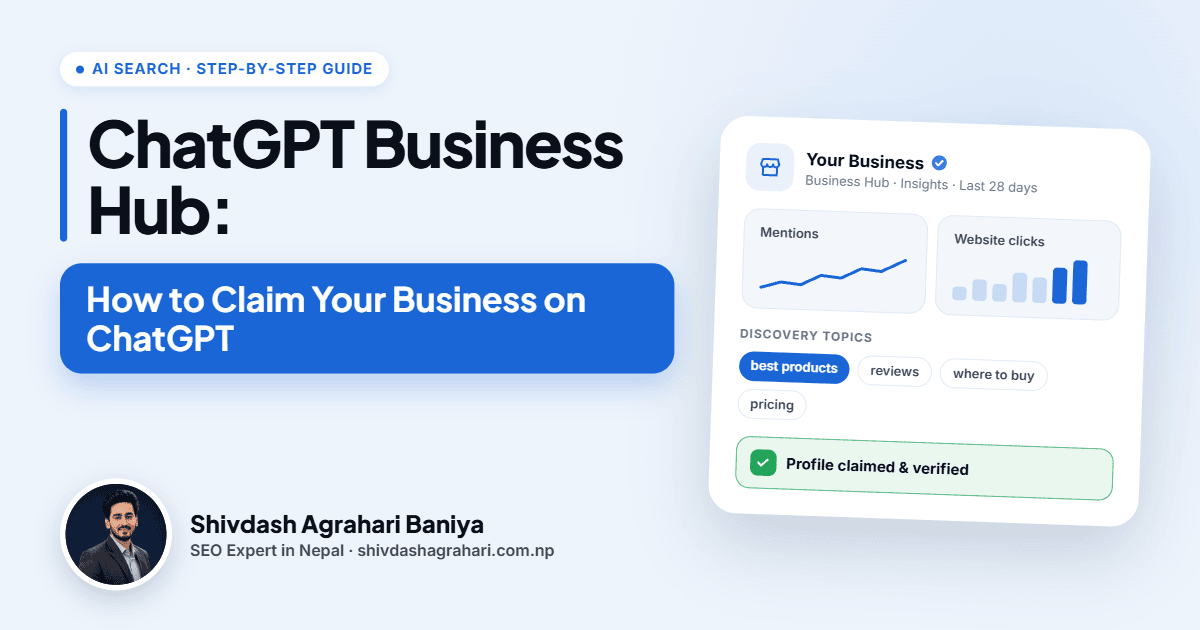
- It shows mentions, website clicks and discovery topics for the last 28 days.
- Online businesses can claim a profile wherever ChatGPT is available. Local stores and restaurants can currently claim only existing US listings.
- Verification uses phone, email, a DNS record or Shopify, followed by an identity check with Persona.
- It does not show the prompts people typed, competitor data or whether clicks turned into sales.
What is ChatGPT Business Hub?
Think of it as Google Business Profile for ChatGPT. Through the Business Hub you can:
- Claim your business listing in ChatGPT
- Edit your description, website, category, logo, opening hours and policies
- Connect a product feed if you sell products
- See insights on how often ChatGPT mentions you and sends people to your website
OpenAI says ChatGPT now has around 1.2 billion weekly users. Until now, ChatGPT built its picture of your business from your website and third-party sources like directories and review sites, which you had little control over. The Business Hub gives you a direct way to correct and complete that picture.
Why it matters for your business
- First real AI click data. Google Search Console tells you about Google. Now ChatGPT tells you about ChatGPT, directly from the source instead of estimates.
- Control over how ChatGPT describes you. Wrong categories, outdated details and missing products can all be fixed in one place.
- A free content brief. “Discovery topics” show the themes of conversations where ChatGPT cited you, which tells you what people associate you with and what to write about next.
- Early-mover advantage. It is new and in beta. Businesses that claim and optimize their profiles now will have months of baseline data before competitors start.
Who can claim a ChatGPT business profile?
| Business type | Can claim now? |
|---|---|
| Online businesses (ecommerce stores, online services, SaaS, exporters selling online) | Yes, in countries where ChatGPT is available, subject to eligibility |
| Local stores and restaurants | Only existing listings in the United States, for now |
| Service-area businesses (plumbers, cleaners, mobile services) | Not yet supported |
| Business Agents (a branded chatbot on your profile) | Eligible US ecommerce and online service businesses only |
What this means for businesses in Nepal
If you run an online business from Nepal, such as an ecommerce store, an export brand selling honey, tea, handicrafts or pashmina online, a software or design service, or an online education business, you can try to claim your profile now. A physical shop or restaurant in Kathmandu cannot claim a local listing yet, because local claiming is limited to the US during the beta. It is still worth preparing your website and business details now, so you are ready when local claiming expands.
How to claim your business in ChatGPT Business Hub (step by step)
Step 1: Open the Business Hub
Sign in to ChatGPT and open Business Hub from the sidebar, or go directly to chatgpt.com/business-hub. Use an account you will keep long term, ideally one linked to a business email.
Step 2: Find your business
Search for your business name and select the correct listing. If it does not appear, eligible online businesses may be able to add it. If nothing shows up at all, your business may not be eligible yet during the beta.
Step 3: Verify that you own it
Choose one of the verification methods:
- Business phone number (text message or automated call)
- Business email address
- A DNS TXT record on your website’s domain
- Your Shopify store
Tip: the DNS method is usually the most reliable for online businesses. You add a short text record in your domain settings (for example in Cloudflare or your hosting panel), which proves you control the website.
Step 4: Wait for review
OpenAI reviews the claim and emails you the result, or asks for more information.
Step 5: Complete identity verification
You then complete an identity check through Persona. This may ask for a government ID, business registration details and proof that you are allowed to represent the business. Insights, profile editing, product feeds and the blue verified check stay locked until this is approved.
Step 6: Record your baseline, then optimize your profile
Before changing anything, note your first 28 days of insights. Then update your website link, description, category, logo and policies, and connect a product feed if you sell products. Having a “before” number lets you measure the effect of your changes.
If someone else already claimed your business: open the profile, choose Dispute ownership from the menu and verify yourself through Persona.
What data does ChatGPT Business Hub show?
| Metric | What it means |
|---|---|
| Mentions | For online businesses, how often ChatGPT referenced your website. For local businesses, how often ChatGPT showed a result for your location. |
| Website clicks | Clicks on links to your website inside ChatGPT |
| Discovery topics | Common themes in the answers that mentioned or cited you |
Insights cover the past 28 days. A blank tile does not always mean zero: it can mean you are below the reporting threshold, data is still being collected, or reporting is not available yet.
What it does not show
- The actual prompts or conversations people had
- Competitor data or rankings
- Whether a click loaded your page, or led to a sale or enquiry
- Mentions of your brand name without a reference to your website (for online businesses)
How to get mentioned more often in ChatGPT
Claiming your profile is step one. Getting recommended is the real goal. These are the steps I use with clients:
- Complete every profile field accurately. A clear description of what you do, who you serve and where, plus the right category, logo and policies.
- Keep your details identical everywhere. Your name, website, contact details and description should match across your website, Google Business Profile, LinkedIn and directories. Consistent information makes AI systems more confident about recommending you.
- Use discovery topics as a content brief. If ChatGPT cites you for “raw honey benefits” but never for “buy honey online”, build a strong page for the second topic.
- Publish answer-ready content. Clear headings, direct answers in the first sentences, tables and FAQs make your pages easy for ChatGPT to quote and link.
- Connect your product feed if you sell products, so ChatGPT has accurate product names, prices and availability.
- Earn mentions on trusted sites. Reviews, press coverage and listings on respected industry sites all strengthen how AI systems see your brand.
How to measure your ChatGPT performance
- Track your click rate: website clicks divided by mentions. Compare it with your own past months rather than with other websites, because early benchmarks vary widely.
- Compare with Google Analytics: check ChatGPT referral sessions in GA4 alongside Business Hub clicks. The two numbers will not match exactly, but the trend should move together.
- Keep a simple monthly spreadsheet: there is no export or API yet, so copy your mentions, clicks and top discovery topics into a sheet each month, next to your Google Search Console data.
- Keep checking other AI tools: the Business Hub only covers ChatGPT. Test your important questions in Google AI Mode, Perplexity and Claude too.
Limitations to know
- It is a beta, so features and eligibility will change.
- You can manage only one brand at a time. Claiming a main brand does not claim its locations, and there is no central multi-location management yet.
- Agencies get access only when the business owner invites them from their own ChatGPT account.
- There is no API or data export yet.
- Claiming does not guarantee more mentions, higher placement or sales.
Frequently asked questions
What is ChatGPT Business Hub?
ChatGPT Business Hub is OpenAI’s free portal, launched in beta on November 10, 2026, that lets businesses claim and manage their profile in ChatGPT and see how often ChatGPT mentions them and sends clicks to their website.
Is ChatGPT Business Hub free?
Yes. Claiming and managing your business profile is free and does not require a ChatGPT Ads account or an Enterprise plan.
Can businesses in Nepal use ChatGPT Business Hub?
Online businesses can claim a profile wherever ChatGPT is available, subject to eligibility, so Nepali ecommerce stores and online service businesses can try. Local stores and restaurants can currently claim only existing US listings.
What data does ChatGPT Business Hub show?
It shows mentions, website clicks and discovery topics for the past 28 days. It does not show individual prompts, competitor data or conversions.
Does claiming my business on ChatGPT improve my visibility?
Claiming alone does not guarantee more mentions. It helps ChatGPT describe your business accurately, and the data shows you what to improve. Visibility still depends on strong, consistent and trustworthy information about your business across the web.
Need help with ChatGPT and AI search visibility?
I help businesses in Nepal and abroad get found on Google, Google AI Mode and ChatGPT through SEO, GEO and AEO. If you want help claiming your Business Hub profile or improving how AI tools describe your brand, book a free review here.
Related reading: Gemini 4 Hydrogen in Google AI Mode: What It Means for SEO and SEO Cost in Nepal 2026.
Sources
- Search Engine Roundtable: Businesses in ChatGPT Business Hub live with click data
- BrightLocal: ChatGPT Business Hub explained
- Ryan Doser: How to claim ChatGPT Business Hub and read the data
- Everything PR: ChatGPT Business Hub mention and click counts
- eCorp IT: Business Hub mentions, clicks and citations